Create detailed sustainable drainage designs
Autodesk InfoDrainage® is a full design and analysis solution that designers, developers, landscape architects, engineers, consultants, and approval authorities rely on to:
- Design and audit drainage systems quickly and confidently
- Deliver sustainable, cost-effective, and compliant designs
- Accelerate BIM (Building Information Modeling) workflows
Benefits of Autodesk InfoDrainage
Easy to use
Use a single, automated platform for any project, with intuitive controls and clear visualization.
Optimized design
Deliver compliant, sustainable, optimally sized, cost-effective designs—on time and within budget.
Quicker approvals
Streamline approval processes with clear, defendable, and reviewable drainage designs.
What you can do with Autodesk InfoDrainage
Take the complexity out of drainage design
Improve efficiency, compliance, and control across the lifecycle of your project. Saving time on sustainable design lets you optimize workflows and obtain faster approvals.
Handy integrations to enhance design process
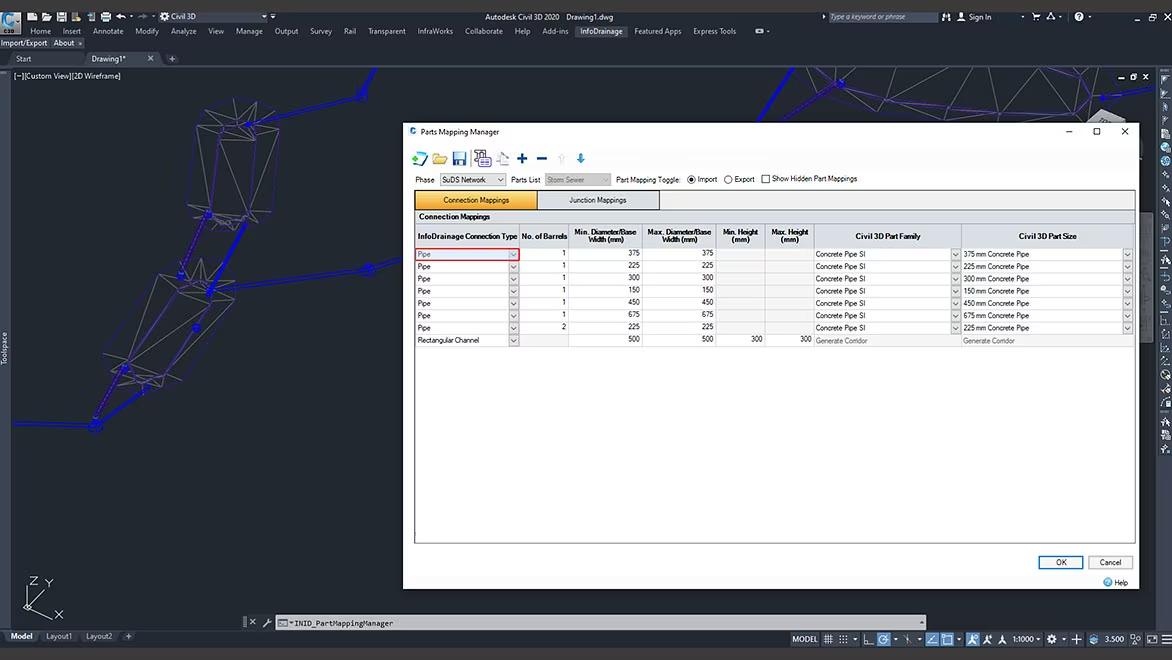
Shorten design time with built-in integration of Civil 3D and data exchange and other CAD and GIS platforms.
Simpler regulatory compliance
Use auditing tools to simplify compliance. Generate custom reports and templates for local regulations and requirements in a number of languages and units.
Autodesk InfoDrainage FAQs
What is Autodesk InfoDrainage use for?
Autodesk InfoDrainage lets you design, review, and approve sustainable drainage systems (SuDS), green infrastructure, and traditional drainage systems. InfoDrainage can help you design more clearly, richly, and confidently.
Who uses Autodesk InfoDrainage?
Autodesk InfoDrainage is a full design and analysis solution used by designers, developers, landscape architects, engineers, consultants, and planners.
We are an approving authority; what does this mean for our submissions?
In short, easier reviews. Autodesk InfoDrainage was created with approving authorities in mind and includes a host of functionality created to help streamline design review workflows and to better analyze submissions. Please speak to your account representative about the various trainings, webinars, and other onboarding experiencing that Autodesk offers.
Key features of InfoDrainage
InfoDrainage enables designers, engineers, consultants, developers, reviewers, approving authorities, and water companies to design and audit drainage systems.
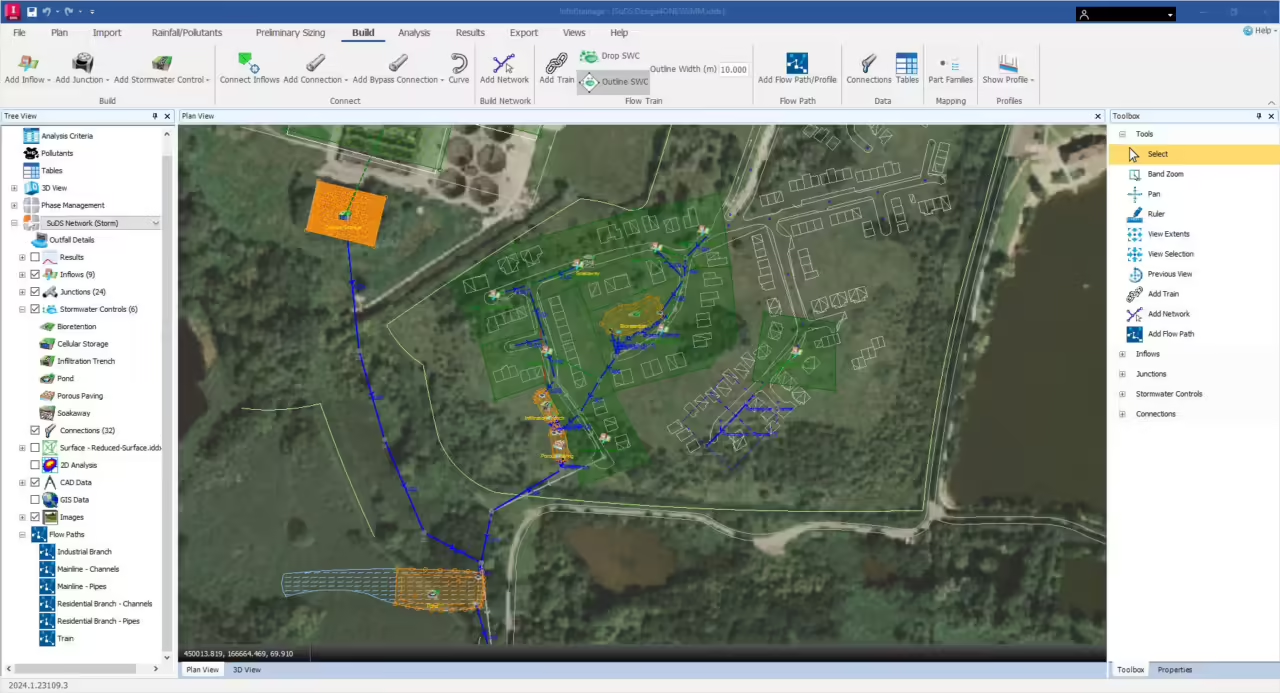
Sustainable and traditional design
Create designs for traditional and sustainable drainage, with tailored reports for compliance
Analyze flows and flooding
Use built-in detailed hydraulic analysis for pipes, manholes, storage and green infrastructure to reduce the risk of flooding downstream
Civil 3D integration
Integrated data exchange with round-tripping support in Civil 3D to update pipe networks and surfaces to maintain 3D models for BIM compliance
Natural flowpaths
Identify overland flow patterns quickly and easily with deluge analysis features
Real-life view
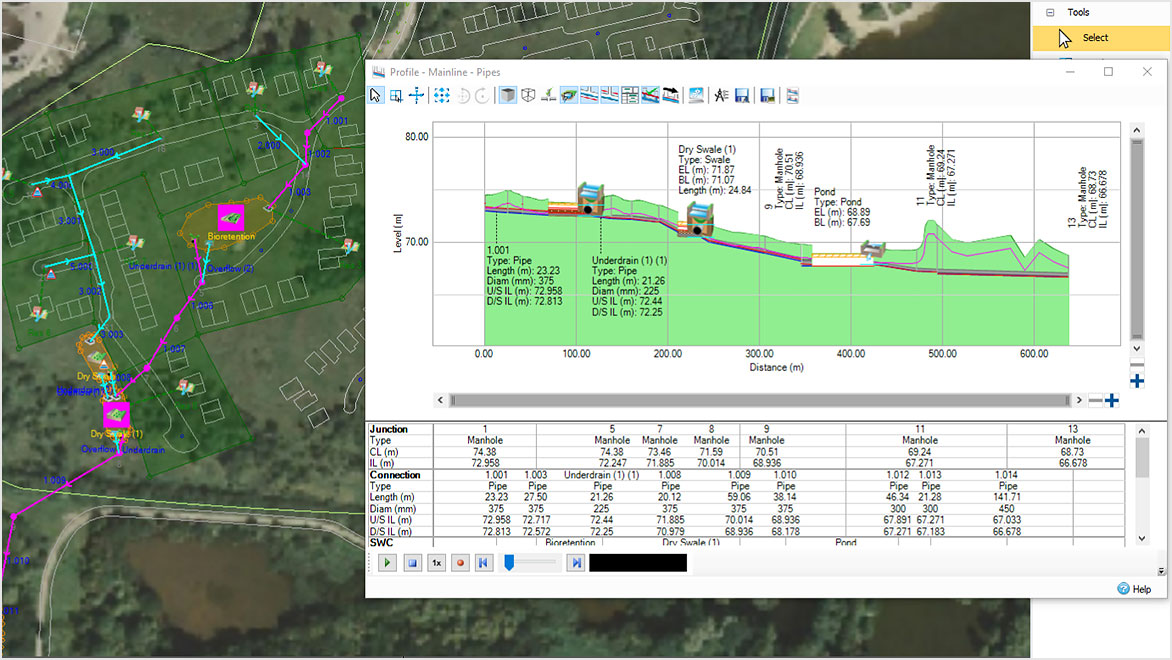
See the accurate extent of a pond, how the underdrain connects swales, and the exact lengths of pipes
Templated designs
Speed up the design process with easy drag-and-drop templates set up to meet regulatory compliance
Clear visualization
Switch between profile, plan, and 3D views to visualize how much space you are using and how your system is connected
Check details quickly
Get accurate data to export to other programs reducing rework to produce plans and profiles with correct locations
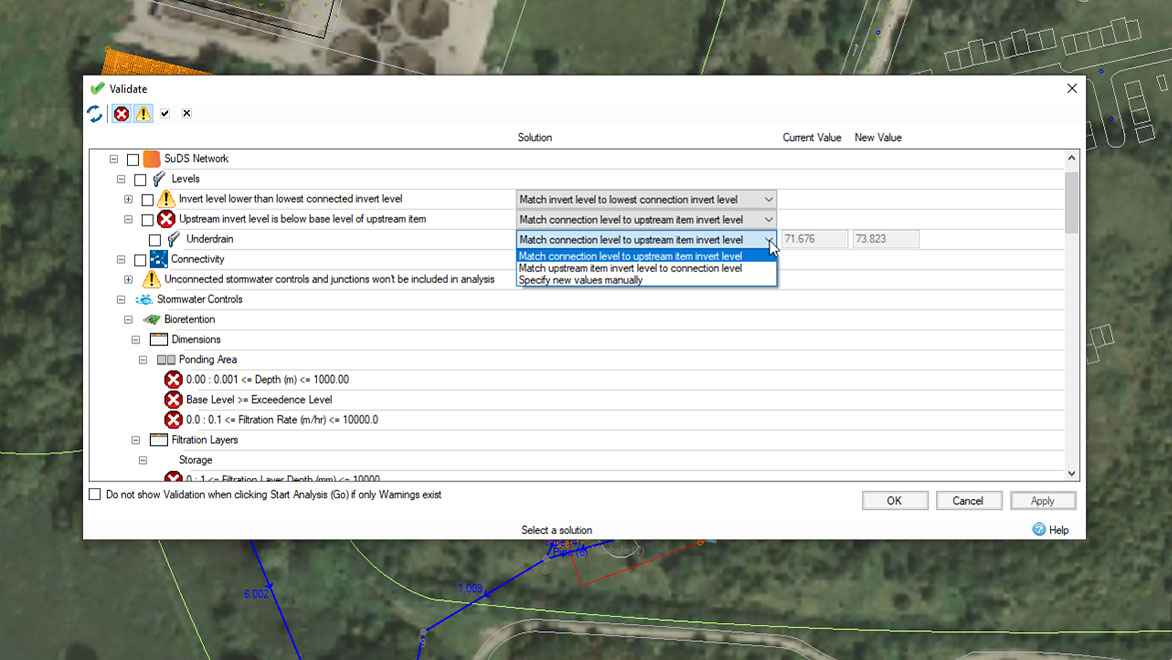
Validate mistakes rapidly
Use validation to quickly spot highlighted errors and read warnings, with potential solutions proposed
Simplified workflow
Ribbon and toolbox options give a logical workflow to guide and improve user capability